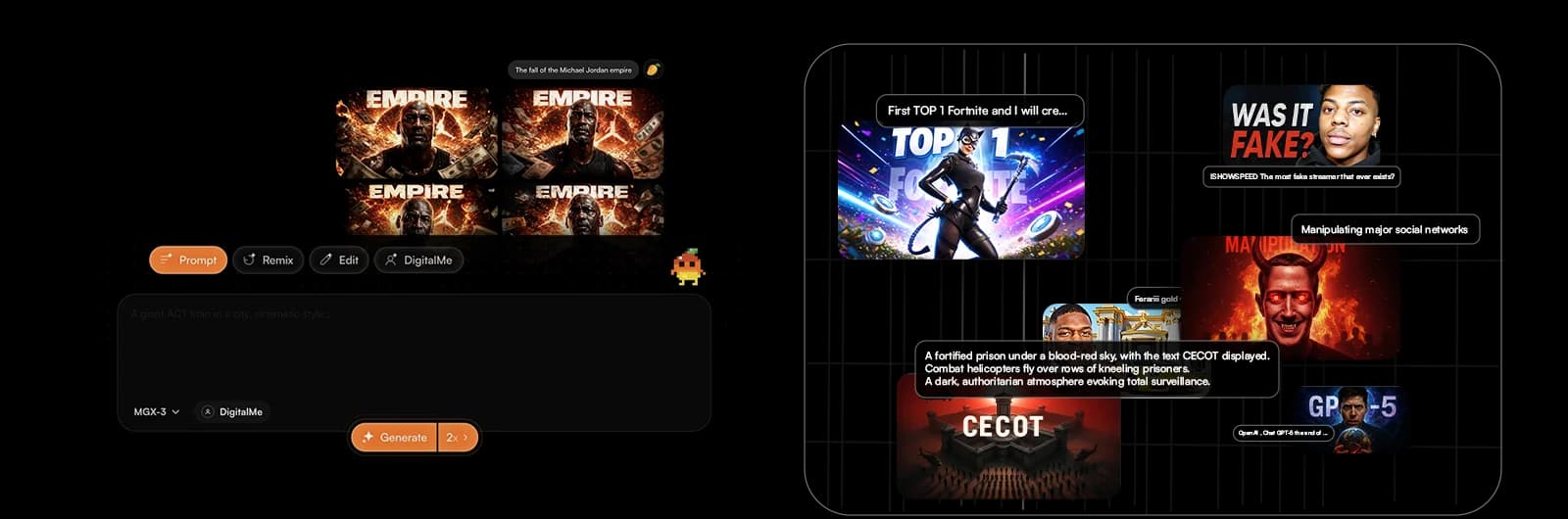
Tired of your YouTube thumbnails going unnoticed, even after hours of work? What if I told you there’s a solution to turn those missed clicks into a real growth engine for your channel? In 2026, AI isn't just an option—it's essential for anyone who wants to understand the true cost of a thumbnail and maximize their ROI.
This article will break down how AI YouTube thumbnails can supercharge you, showing they're not an expense, but an explosive growth lever. Get ready to discover the 7 key essentials for a multiplied ROI with MangooFX.
AI YouTube Thumbnails: A Real Investment or Just a Cost?
Many creators still see AI tools as an extra expense, a luxury. But viewing AI YouTube thumbnails as just a cost means ignoring their transformative potential. It's time to shift your perspective and see them as a true strategic lever.
- Understand the real cost of a thumbnail — Beyond the time spent in your editing software, the cost includes tools, necessary graphic skills, and especially, the opportunity cost of views lost due to a less effective thumbnail. It’s a hidden cost, but a very real one.
- Demystify AI-related expenses — An AI tool subscription isn't a burden, it's an accelerator. It lets you produce more, better, and faster, freeing up your time for content creation. The cost-benefit ratio often heavily favors AI.
- See AI as a growth lever, not just an expense — AI doesn't replace your creativity, it amplifies it. It gives you the power to test, learn, and optimize continuously, turning every thumbnail into a click magnet for your YouTube channel.
To truly grasp the power of these tools, discover how to create an AI YouTube thumbnail in 5 simple steps and get ahead of the curve.

How to Calculate the ROI of Your AI YouTube Thumbnails [2026 Guide]?
To calculate the ROI of your AI YouTube thumbnails, use the simple formula: (Gains – Costs) / Costs. Gains include views, subscribers, and revenue generated, while costs relate to the AI tool and learning time. This calculation helps you clearly see the financial impact of your AI investment.
ROI isn't just financial jargon; it's your dashboard for measuring your strategy's success. Here’s how to apply it to your AI thumbnails:
- Simple formula: (Gains – Costs) / Costs — This ratio will give you a percentage. A 100% ROI means you've doubled your investment. The goal is always to aim for a positive number, and the higher, the better.
- Identify gains: views, subscribers, direct and indirect revenue —
- Views and subscribers: More clicks on your AI thumbnails mean more views, and potentially more subscribers if your content is high quality.
- Direct revenue: YouTube ads, affiliate product sales, your own products. Increased traffic via optimized thumbnails directly impacts these sources.
- Indirect revenue: Increased brand visibility, partnership opportunities, notoriety. Hard to quantify, but essential.
- Identify costs: AI tool, learning time —
- AI tool: Your monthly or annual subscription to platforms like MangooFX.
- Learning time: The initial time spent getting familiar with the tool and mastering prompts. This is an investment in itself.
- Analyze key metrics: CTR, watch time, conversions — YouTube Studio is your best friend here. Keep an eye on the Click-Through Rate (CTR) of your AI thumbnails, the watch time generated, and conversions if you have specific goals (sales, sign-ups). According to YouTube Studio, these metrics are essential for evaluating your content's performance.
Can AI Really Boost Your CTR and Views?
Yes, AI is an absolute game-changer for your CTR (Click-Through Rate) and views. It offers analysis and optimization capabilities no human creator could match alone. It's like having a team of designers and marketing experts at your disposal 24/7.
- Optimize composition and colors — AI analyzes millions of high-performing thumbnails to understand what grabs attention. It can suggest impactful color palettes, visual element arrangements, and typographies that maximize emotional impact and readability.
- Automated, fast A/B testing — No more hours spent creating variations. AI quickly generates multiple thumbnail versions, and with tools like MangooFX, can even help you optimize your CTR with AI thumbnail A/B testing. You'll pinpoint the best-performing version in a flash.
- Predictive analysis of visual trends — AI doesn't just analyze the past; it anticipates the future. It identifies emerging visual design trends on YouTube and helps you create thumbnails that are not only current but also cutting-edge.
- Personalization for different audiences — Got varied audiences? AI can help you create slightly different thumbnails to target specific segments, increasing relevance and CTR for each group.
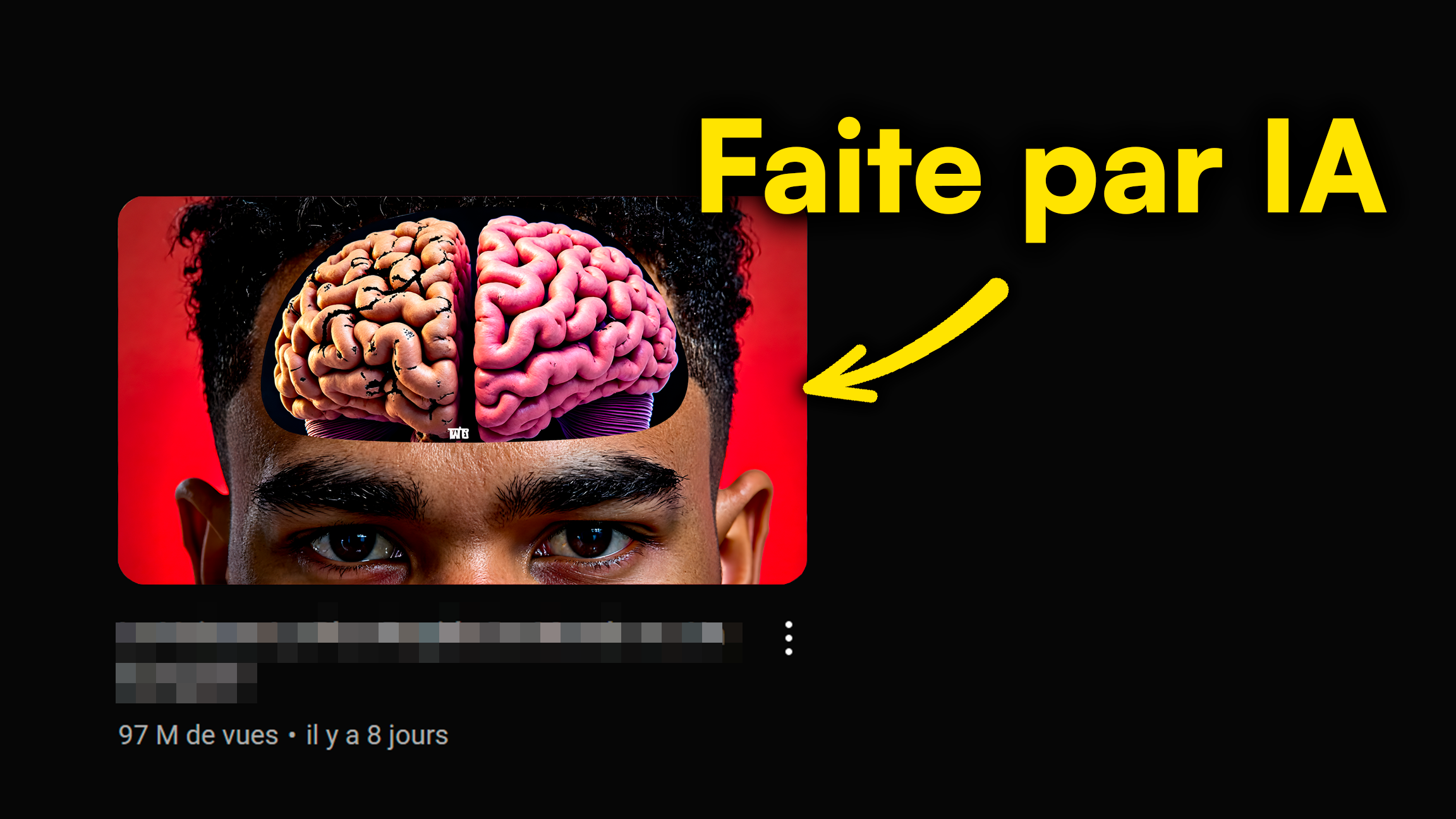
Why AI Thumbnails Are a Game-Changer for Creators?
Artificial intelligence is much more than just a gadget. For YouTube content creators, it's a revolution, an opportunity to redefine how they approach visual creation and their channel's strategy.
- Huge time savings for creation — AI can generate drafts or complete thumbnails in seconds. This saved time is massive and can be reinvested into producing quality content, editing, or engaging with your community.
- Access to pro designs without graphic skills — No need to be a Photoshop expert or spend a fortune on designers anymore. AI puts professional design tools within everyone's reach, even beginners, with visually stunning results.
- Continuous improvement based on performance — AI doesn't just create; it learns. The more you use it and train it with your performance data, the more effective it becomes at generating thumbnails that convert.
- Reduced creative stress and burnout — The pressure to create impactful thumbnails for every video can be a major source of stress. AI lightens this load, allowing you to focus on your passion and reduce the risk of burnout.
- Competitive advantage on YouTube — In a saturated YouTube ecosystem, having thumbnails that stand out is crucial. AI gives you that edge, allowing you to compete with larger, more established channels.
For concrete case studies on AI's impact, explore our AI YouTube thumbnails: real case studies.

Your 3 Secrets to Maximizing the ROI of Your AI Thumbnails
AI is a powerful tool, but its full effectiveness depends on how you use it. To maximize your return on investment, you need to adopt a strategic and proactive approach. Here are the secrets to achieving this.
- Master AI prompts for precise results — AI is only as good as the instructions you give it. Learning to formulate clear, detailed, and creative prompts is fundamental to getting thumbnails that perfectly match your vision. It's the art of conversing with the machine. Don't hesitate to check out our guide on mastering AI prompts for YouTube thumbnails.
- Constantly test, analyze, and adapt your designs — The YouTube world is constantly evolving. What works today might not work tomorrow. Use YouTube Analytics data and your AI tool's A/B testing features to understand what resonates with your audience and adapt your designs accordingly. Regular analysis is crucial, as confirmed by Hootsuite in their YouTube data analysis guide.
- Integrate AI into your overall channel strategy — AI shouldn't be an isolated island. It needs to be part of a coherent content strategy. Think about how your AI thumbnails can strengthen your branding, your message, and your long-term goals.
- Focus on consistent visual branding — Even with AI, your channel needs a recognizable visual identity. Use AI to create thumbnails that respect your brand guidelines (colors, fonts, style) to reinforce brand recognition. A consistent and viral channel strategy with AI thumbnails is key.
- Use AI for intelligent A/B testing — Don't just create one thumbnail. Ask AI to generate several variants and use performance data to identify the best one. Some AI tools can even predict which thumbnail will have the best CTR before you even publish it.
Your AI YouTube Thumbnail ROI: The Final Verdict
In 2026, it's clear that AI YouTube thumbnails are not just a cost, but an essential strategic investment for any creator looking to maximize their impact. The benefits, whether it's a boosted CTR, exponential growth in views and subscribers, or increased efficiency, far outweigh the initial costs.
- AI is a strategic investment, not just an expense.
- Benefits far outweigh costs.
- The future of YouTube is driven by artificial intelligence.
Adopting AI for your thumbnails is the key to unlocking unprecedented growth potential on YouTube. Don't be left behind, embrace this technology and watch your ROI explode!

Frequently Asked Questions
How does AI calculate the ROI of YouTube thumbnails?
AI doesn't directly calculate ROI. It helps you create high-performing thumbnails which, thanks to analysis tools like YouTube Analytics, allow you to measure the impact on your CTR, views, and revenue. You're the one who interprets this data to calculate your return on investment.
Are AI YouTube thumbnails really profitable for a small creator?
Yes, absolutely. For a small creator, AI is actually a huge advantage. It reduces creation time, offers pro designs, and helps grab attention without a massive budget. It's a direct way to boost your growth and monetize your channel faster.
What's the average cost of an AI YouTube thumbnail compared to manual creation?
The cost of an AI thumbnail is mainly tied to your tool subscription (often a few dollars a month) and the time spent refining your prompts (a few minutes). Manual creation, however, costs in time (hours), software, and potentially freelance designers (tens to hundreds of dollars per thumbnail).
Can I use AI to analyze the performance of my existing YouTube thumbnails?
Some advanced AI tools, like MangooFX, integrate analysis and prediction features. They can help you understand why some of your thumbnails perform better than others, and even suggest improvements for your next creations based on millions of data points.